The Chameleon Cloud team is excited to announce the release of a preview of our redesigned service for resource discovery on Chameleon. With the new Chameleon Resource Browser, you can browse bare metal nodes (and, coming soon, VMs) across all CHI sites using both the same hardware properties exposed in the legacy service and real-time availability data for when nodes are actually free to use. No more finding a node on the resource discovery page, only to discover that it is booked for two weeks.
Click here to check out the new browser!
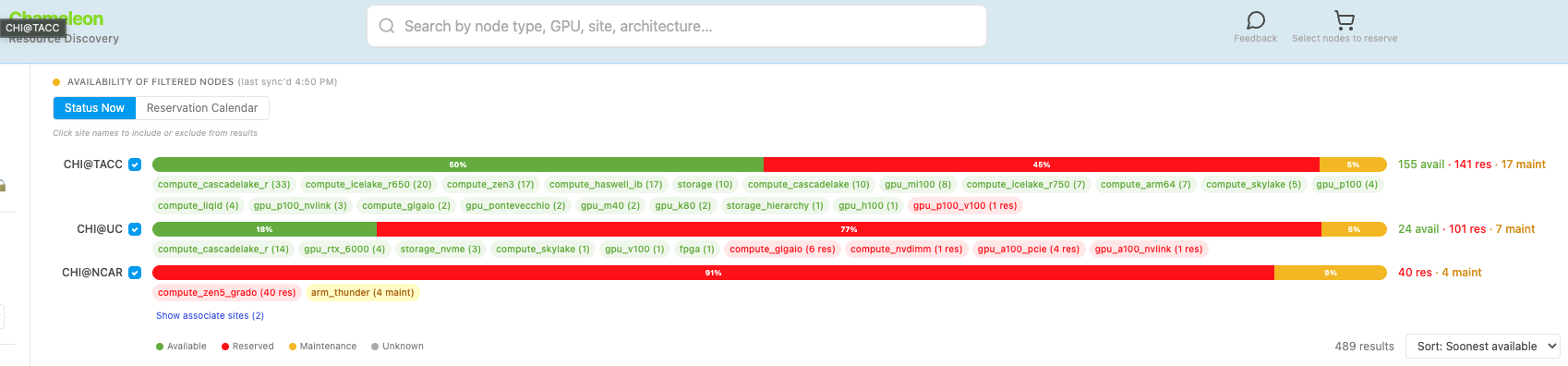
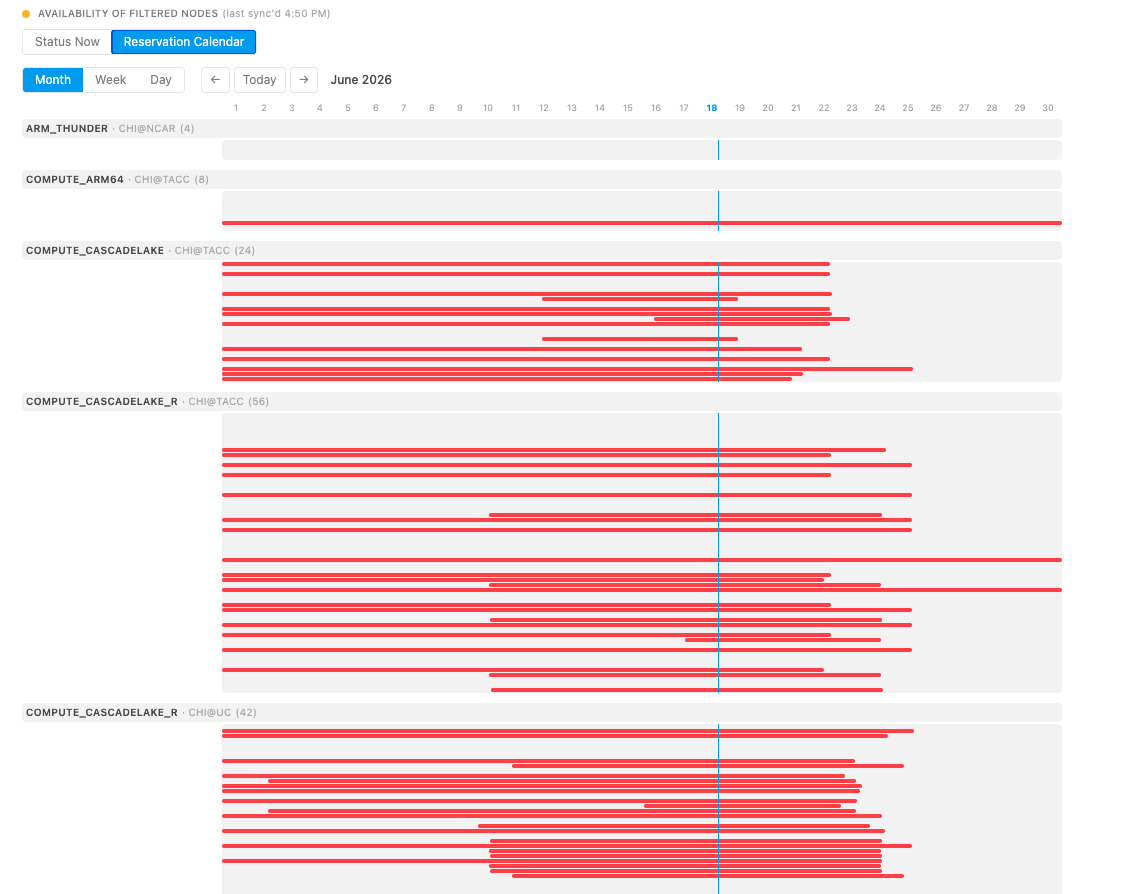
Please note that these updates to resource discovery do not affect existing workflows or scripts for reserving Chameleon resources. Lease creation using the Horizon GUI, OpenStack CLI, and python-chi remains the same as before. Our old resource browser is also not going away (yet) — you can still access it in the usual place (on the Chameleon Portal homepage, first item under the "Experiment" tab in the menu bar). We plan to replace the old browser completely with the new one in the coming months and will make an announcement of the exact date in an upcoming changelog to give users sufficient notice. Read more about the differences between the old and new browsers in our updated FAQ.
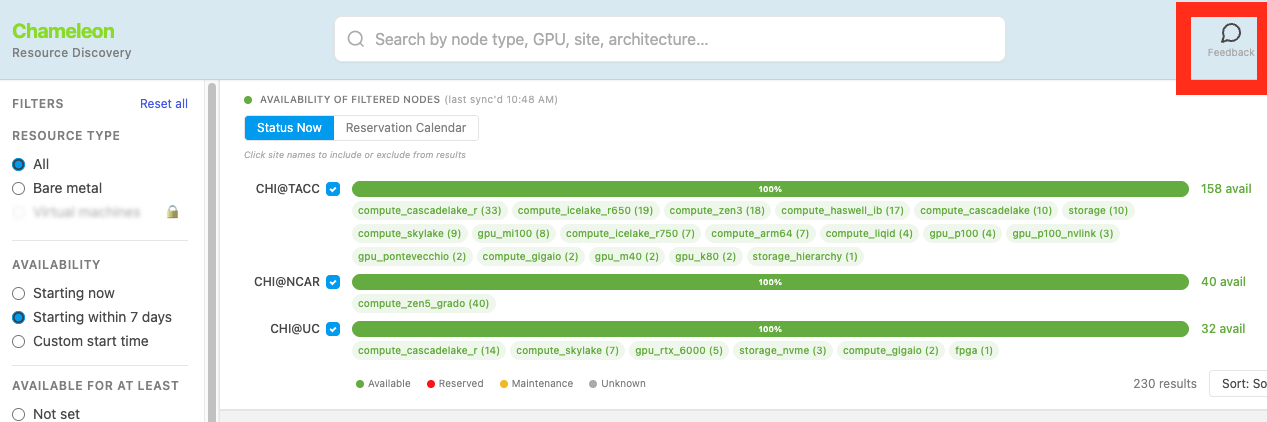
We welcome your feedback on the new service and interface. You can leave feedback in the browser itself by clicking on the feedback icon in the top right corner of the page. While you familiarize yourself with the new browser, let us know about any bugs you find, features you think could enhance discovery, missing components that hinder your work, or anything you find confusing. Love the new interface? Let us know what excites you as well!
What's New in the Resource Browser
- Filter by availability — find hardware that's free starting now, within 7 days, or at a custom time and duration.
- Auto-generated reservation commands — copy ready-to-run snippets for the OpenStack CLI or python-chi, pre-filled with your selection.
- Conflict detection + auto-adjust — warns when your time window clashes with existing reservations and shifts you to the next free slot in one click.
- Unified multi-site search — browse UC, TACC, and NCAR together, with availability shown per site.
- Multi-node cart — select multiple nodes across sites and reserve by node type or specific node name.
- Deeper filtering with live counts — GPU, CPU, cache, architecture, RAM, FPGA, network, storage (NVMe/SSD), and RDMA (GPUDirect, NVMe-oF) facets, each with running result counts.
- Richer node details — processor internals, network rates, storage, BIOS, chassis, rack placement, job types, and energy monitoring.
- Live availability status — Available / Reserved / Maintenance badges on every node.
- In-app feedback — send feedback or open a support ticket directly from the browser.
- Coming soon — virtual machine (VM) resources.
Happy experimenting!